Local-First Sandboxes
for AI Agents on macOS & Linux.
Lightweight Linux VMs powered by Apple Virtualization.framework on macOS and KVM on Linux ARM64. Ephemeral by default. No Docker required.
Fast, Ephemeral, Stateful.
Infrastructure for AI Agents.
Ephemeral by Default
Every run starts from a clean rootfs. Install anything, break anything. Nothing persists unless you save it.
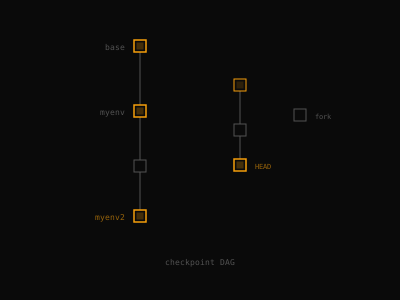
Checkpoints
Save disk state as named snapshots. Restore, branch, and iterate. Like git commits for your environment.
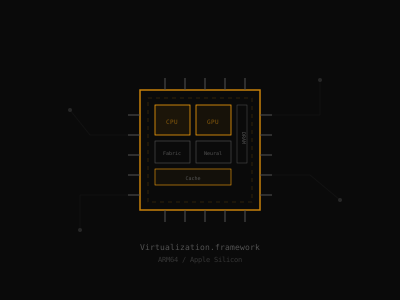
Apple Silicon Native
Built on Virtualization.framework. No emulation layer, no Docker dependency. Near-native speed on ARM64.
Simple CLI.
Run, checkpoint, restore.
Ephemeral runs
Boot a fresh VM with a single command. Changes vanish on exit.
Opt-in networking
Sandboxes are offline by default. Enable networking with one flag.
Configurable resources
Set CPUs, memory, and disk size per run or in a config file.
Directory mounts
Share host directories into the VM. Read-only by default; opt in to host writes with :rw.
Checkpoint & restore
Save environments as snapshots. Branch and reuse across runs.
Port forwarding
Expose guest ports to the host. Works without network access.
Recipes & Docker
Build checkpoints from versioned recipes. The docker recipe runs containers in the sandbox under the same network rules.
$ shuru run -- echo "hello from the sandbox"
hello from the sandbox
$ shuru run -- cat /etc/os-release | head -1
NAME="Debian GNU/Linux"
# VM boots, runs, and tears down — nothing persists.
$ shuru run -- curl https://example.com
curl: (6) Could not resolve host: example.com
$ shuru run --allow-net -- curl -s https://example.com | head -1
<!doctype html>
# Sandboxes are offline by default. All traffic goes through a proxy.
$ shuru run --cpus 4 --memory 4096 -- free -m | head -2
total used free
Mem: 4096 38 4002
$ shuru run --disk-size 2048 -- df -h /
Filesystem Size Used Avail Use% Mounted on
/dev/vda 2.0G 18M 1.9G 1% /
$ shuru run --mount ./src:/workspace -- ls /workspace
main.py utils.py tests/
# Read-only by default — guest writes stay in a tmpfs overlay.
$ shuru run --allow-host-writes --mount ./src:/workspace:rw -- touch /workspace/new.py
# With :rw + --allow-host-writes, guest writes land on the host.
$ shuru checkpoint create myenv --allow-net -- sh -c 'apt-get install -y nodejs npm'
shuru: checkpoint 'myenv' saved
$ shuru run --from myenv -- node -e 'console.log("ready")'
ready
# Restore any checkpoint instantly. Branch and reuse.
$ shuru checkpoint create py --allow-net -- apt-get install -y python3
shuru: checkpoint 'py' saved
$ shuru run --from py -p 8080:8000 -- python3 -m http.server 8000
shuru: forwarding 127.0.0.1:8080 -> guest:8000
$ curl http://127.0.0.1:8080/
<!DOCTYPE HTML>...
# No --allow-net needed. Tunneled over vsock.
$ shuru checkpoint create docker --recipe docker
shuru: building recipe docker from superhq-ai/recipes/docker@2a5c726 (2 steps)
shuru: checkpoint 'docker' saved
$ shuru run --from docker -p 8080:8080 -- docker run --rm -p 8080:8080 nginxinc/nginx-unprivileged:1.31.7-alpine-slim
shuru: forwarding 127.0.0.1:8080 -> guest:8080
# Or skip the create: shuru run --recipe docker builds it on first use.
$ curl -sI http://127.0.0.1:8080/ | head -1
HTTP/1.1 200 OK
$ shuru run --from docker -- cat /etc/shuru/services/docker.json
{
"exec": ["dockerd"],
"ready": ["docker", "info"],
"ready_timeout_secs": 60,
"stop_timeout_secs": 30
}
# Services start at boot, the command waits until they are ready, and they get SIGTERM before power off.
Built for Agents.
Safe execution for any workload.
Code Execution
Run AI-generated code in isolated VMs with real-time output.
Tool Use
Let agents install packages, compile code, and use system tools safely.
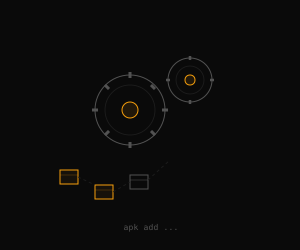
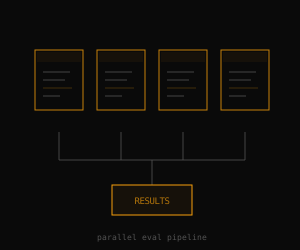
Evaluations
Spin up parallel sandboxes for reproducible evals across environments.
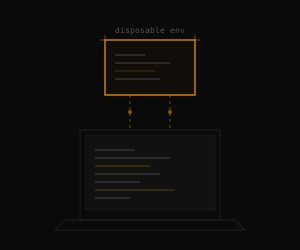
Development
Disposable Linux environments for testing, debugging, and prototyping.
Configure per project.
One file, full control.
Define allowed domains, secrets, and resources in a single shuru.json file.
Secret injection
API key stays on host. Guest gets a placeholder token.
Domain allowlist
Lock down which domains the agent can reach.
Multi-provider
Multiple API keys for different services.
Full config
Resources, mounts, secrets, and network together.
{
"secrets": {
"API_KEY": {
"from": "OPENAI_API_KEY",
"hosts": ["api.openai.com"]
}
},
"network": {
"allow": ["api.openai.com"]
}
}
{
"network": {
"allow": [
"registry.npmjs.org",
"github.com",
"*.githubusercontent.com"
]
}
}
{
"secrets": {
"OPENAI_KEY": {
"from": "OPENAI_API_KEY",
"hosts": ["api.openai.com"]
},
"ANTHROPIC_KEY": {
"from": "ANTHROPIC_API_KEY",
"hosts": ["api.anthropic.com"]
}
},
"network": {
"allow": ["api.openai.com", "api.anthropic.com"]
}
}
{
"cpus": 4,
"memory": 4096,
"mounts": ["./src:/workspace"],
"secrets": {
"API_KEY": {
"from": "OPENAI_API_KEY",
"hosts": ["api.openai.com"]
}
},
"network": {
"allow": ["api.openai.com"]
}
}
Works with your agent.
Install once, sandbox everything.
Shuru ships as an agent skill. Once installed, AI agents automatically use shuru run whenever they need sandboxed execution — no prompting required.
Install with one command
Works across Claude Code, Cursor, Copilot, and more.
$ npx skills add superhq-ai/shuru
Get started in seconds.
One command to install. One command to run.
macOS
Apple SiliconLinux
ARM64 · KVM# Check KVM access
$ ls /dev/kvm && groups | grep -q kvm
# Install
$ curl -fsSL https://shuru.run/install.sh | sh
# Run your first sandbox
$ shuru run